
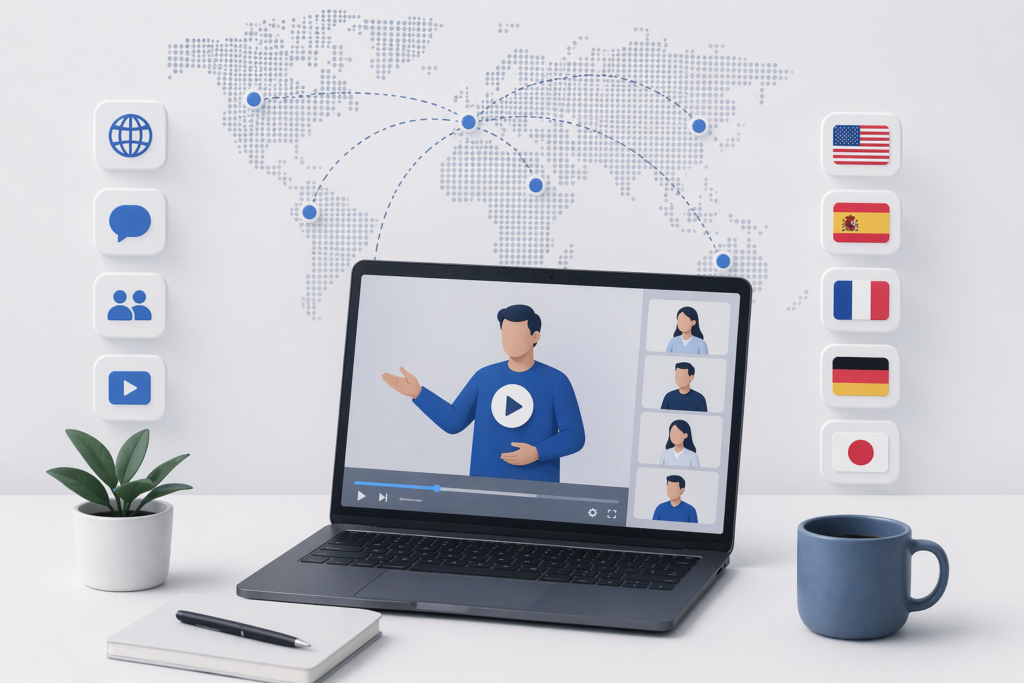
Webinars produce high-value content that most marketing teams under-use. A 45-minute webinar recording sits on a landing page behind a form, captures a few hundred registrations in the home market, and slowly goes stale. Translated into five languages, the same recording extends reach by 3x to 10x with zero additional production work. The bottleneck is not content quality; it is the translation workflow.
AI tools solved the translation workflow. A recorded webinar moves through a single pipeline and comes out as localized video plus translated transcript, captions, and blog-ready text in 10+ languages within hours. This piece walks through the practical workflow, the specific choices a webinar team faces, and the video translation tool features that matter most for long-form multi-speaker content.
Key Takeaways:
- Webinar recordings localized to 5 languages typically generate 3x to 10x the total registered audience compared to English-only distribution
- Multi-speaker detection is essential because most webinars have 2 to 4 distinct voices (host, presenter, panel, Q&A)
- Translation Dictionary / glossary prevents brand and speaker names from getting translated incorrectly
- The workflow extends beyond video: translated transcripts and summaries repurpose into blog posts, email sequences, and sales enablement content in every language
- Realistic turnaround for a 60-minute webinar into 10 languages: 4 to 8 hours of processing, plus reviewer time
Why Webinars Are Worth Localizing
Three reasons specific to webinar content:
1. High production cost per recording
A typical webinar costs $5,000 to $20,000 to produce when staff time, promotion, and guest coordination are factored in. Using the recording in only one language captures a fraction of the return on that spend.
2. Evergreen structure
Most webinars are not time-sensitive. A product overview webinar or industry trends webinar stays relevant for 6 to 18 months. Localized versions compound views over that period.
3. High-intent audience
People who sign up for webinars are actively evaluating the topic. The audience is deeper in the funnel than generic blog readers. Reaching more of them in their native language has outsized effect on pipeline.
The Full Workflow
Step 1: Clean up the source recording
Webinar recordings often have artifacts that hurt localization quality: awkward pauses, long host introductions, or technical glitches. Before localizing:
- Trim host introductions to the first minute
- Cut the final “thanks for watching” wrap-up if it runs long
- Remove any dead air from technical problems
- Export a clean master file at 1080p minimum
Every minute cut from the source saves processing time per language. A 60-minute recording cut to 45 minutes produces 25% faster localization across every output version.
Step 2: Prepare the transcript (optional but recommended)
Most AI platforms generate transcripts automatically, but uploading a pre-cleaned transcript improves quality. A human quickly reviewing the English transcript for:
- Speaker labeling accuracy
- Brand and product names spelled correctly
- Acronyms expanded the first time they appear
This 15-minute cleanup at the source translates into better quality across every target language.
Step 3: Configure the glossary and speaker profiles
For a webinar with multiple speakers, configure:
- Glossary / Translation Dictionary. Brand names, product names, industry acronyms, speaker names. A webinar with 30 locked terms translates consistently across all languages. Without the glossary, AI defaults may translate feature names inconsistently across the same recording.
- Speaker voice profiles. For recurring hosts or presenters, voice cloning preserves their voice across languages. For one-off guest speakers, generic AI voices in the target language are usually fine.
Step 4: Select target languages
Most B2B webinar teams start with:
- Spanish (broad LATAM and US Hispanic reach)
- Portuguese (Brazil)
- French (France, Canada, French-speaking Africa)
- German (DACH region)
- Japanese (Japan B2B)
Add based on specific pipeline data: Korean for Korea-focused teams, Mandarin for China, Italian for Italian manufacturing, etc.
Step 5: Run the full pipeline
Upload the cleaned recording, apply the glossary, select voice profiles, and batch to all target languages. Most platforms process 60 minutes of content into 10 languages within 4 to 8 hours.
The output should include:
- Dubbed video in each language, with voice cloning or AI voices per configuration
- Captions/subtitles (SRT, VTT) in each language, synced to the original video
- Translated transcript as plain text for each language, ready for blog or CMS publication
- Summary or chapter markers in each language if the platform supports it
Step 6: QA with native speakers
For each language, get a native speaker who understands the webinar topic (ideally a local sales rep or country lead) to review a 5-minute sample. Check:
- Audio sounds natural and professional
- Product and brand names are correct
- Technical terminology is right for the target market
- Lip-sync holds up on close-up speaker shots
Issues usually come from glossary misses (add terms and regenerate) or speaker detection errors (manual speaker re-tagging). Both are fast to fix if caught early.
Step 7: Distribute
Publish localized versions across:
- Localized landing pages with target-language form copy
- Regional YouTube channels if the company maintains them
- Localized email sequences to existing non-English contacts
- Sales enablement platform (Gong, Highspot, Seismic) for local sales reps to share 1:1
- Paid distribution if the topic warrants it (LinkedIn or YouTube ads in each market)
The translated transcripts and summaries become:
- Blog posts in each language
- Podcast episodes (audio-only export)
- Sales outreach talking points
- Email newsletters per market
One webinar, done this way, produces 40+ pieces of content across 10 languages.
Step 8: Measure by language
Track these metrics per language, not in aggregate:
- Views and average watch time. Which languages engage best.
- Registration and download conversion on landing pages per language.
- Pipeline sourced per language over the subsequent 90 days.
- Content reuse metrics for the transcript-derived blog and email content.
The languages that underperform after 60 days usually signal a translation quality issue or a market fit issue, not a webinar quality issue.
Platform Features That Matter for Webinars
Multi-speaker detection
Most webinars have 2 to 4 speakers. Without automatic speaker detection, the team spends hours manually labeling voices per language. Platforms with proper diarization save this time automatically.
Long-form processing capacity
Some AI platforms are optimized for short-form content and struggle past 20 minutes. Webinars routinely run 45 to 90 minutes. Test the platform on a full-length recording before committing; some tools fall over on long content.
Glossary and Translation Dictionary
Brand names, product names, company names mentioned by guest speakers, industry acronyms. Locking these in a reusable glossary that applies across all future webinars is what keeps output quality high over a year of content.
Voice cloning for recurring hosts
A webinar series with the same host every month benefits from voice cloning. The host’s voice becomes recognizable to the audience in every language the series runs.
Q&A segment handling
Webinars often include live audience Q&A with lower-quality audio. Platforms with strong audio preprocessing handle this without quality drops; tools optimized for clean studio audio fail here.
Output format flexibility
Not every distribution channel accepts the same format. A platform that exports MP4 (for YouTube), MOV (for editing), audio-only (for podcasts), and standard subtitle files covers most use cases.
Cost Math for a Webinar Program
A typical B2B team running 12 webinars per year, 60 minutes average length, localized to 5 languages:
|
Approach |
Per-webinar cost (5-lang) |
Annual cost (12 webinars) |
Turnaround per webinar |
|
Traditional agency dubbing |
$6,000 to $10,000 |
$72,000 to $120,000 |
2 to 3 weeks |
|
Hybrid (AI + human review) |
$800 to $1,500 |
$9,600 to $18,000 |
2 to 4 days |
|
Full AI workflow |
$100 to $300 |
$1,200 to $3,600 |
Same day to 1 day |
The 95% to 98% cost reduction makes webinar localization a standard practice rather than a premium project. Most teams that run the math land on the full AI workflow for the first pass and reserve human review for the 2 or 3 flagship webinars per year that justify extra polish.
Common Mistakes
Translating one language at a time
Sequential localization takes 10x longer than batch processing. Modern platforms handle all target languages in parallel; use that.
Skipping the glossary
Brand names translated into local equivalents look unprofessional and damage SEO for branded search terms. Lock them before running.
Not cleaning up the source
A 45-minute recording with 10 minutes of awkward pauses and dead air costs 22% more to localize across 5 languages than a clean 35-minute version. Edit first.
Only localizing the video, not the assets
The webinar landing page, email sequence, and follow-up content also need translation. Localizing the video in isolation produces a multilingual video on an English-only page, which converts worse than an English video on an English page.
Ignoring Q&A sections
Many teams strip the Q&A to save processing time. That often removes the most valuable content of the webinar, which is the unscripted insight from the speakers. Localize the Q&A too.
What to Publish First
For teams with a backlog of untranslated webinars, the highest-ROI sequence is:
1. Flagship webinars (highest original view count) — localize all of them to 5 languages first
2. Evergreen topic webinars (product overviews, buyer education) — localize next, since they stay relevant over 12+ months
3. Guest speaker webinars with well-known experts — localize because the guest’s reputation extends reach in each market
4. Recent webinars under 6 months old — localize as time permits
5. Older webinars (12+ months) — skip unless the topic is still current
This sequence typically produces measurable pipeline lift within 60 days of the first batch going live.
Conclusion
Translating webinar recordings into multiple languages is now the highest-ROI content repurposing move available to most B2B marketing teams. The workflow is mature, the tools are reliable, and the output extends beyond video to include transcripts, blog posts, and sales enablement material in every target language.
For teams running regular webinars, the right approach is to bake the localization workflow into the webinar production calendar. Each new recording enters the pipeline the day after it goes live, and localized versions are distributed within a week. The webinar program that used to reach the home market only now extends to every priority international market at a marginal cost per language that fits easily into a normal content budget.