
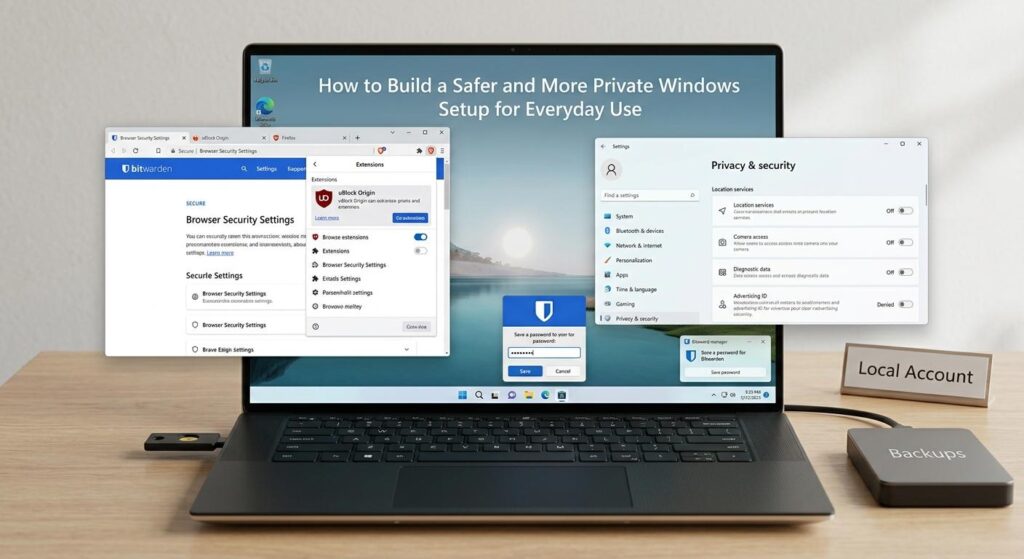
Windows computers play an important role in our digital lives. People use their computers for work and school, entertainment, and online transactions including shopping and banking. People also use computers for communication, games, and storing and managing personal data in the cloud. As people conduct more activities online, the configuration of a computer can impact the privacy and convenience of people in control of the computer.
While some people believe that command of a computer operating system requires extensive technical knowledge and know-how, configuration of a computer to improve the privacy and security of a system can be accomplished through simple habits and system settings.
Start With the Basics
The first suggestion is to keep your computer’s software up to date. Developers release updates to software for many reasons, and one important reason is to fix security issues. Security issues can be discovered after software is released.
One way to make sure important software updates are installed is to turn on automatic updates. Another way is to manage the software installed on your computer and uninstall software you don’t use. Some software, especially programs, can access the Internet and can make unneeded background connections.
Internet browsers also have extensions. Like software, not all browser extensions are useful. A browser with many extensions may be configured to send more data than is necessary.
Review What Your Computer Shares
Currently, a trend in software development is to create programs with a large, flexible permissions model. For a given application, the permissions may seem over-reaching or unjustified.
Fortunately, Windows provides users with a way to adjust application permissions. Setting aside a small amount of time to modify these can help users adjust application permissions to more reasonable levels.
Because a work computer is often used for both work and personal activities, it may be beneficial to modify application permissions to only those that are necessary in order to ensure that applications do not have unjustified access.
Pay Attention to Network Connections
A computer can still encounter risks even if it is well configured. Home networks, in which the user controls the router and its settings including its password, can still be managed. Public networks on the other hand require special care.
It is always prudent to ensure the security of the network you are using before transferring or accessing sensitive information on public networks including and especially hotel, café and library networks. It is also important to disable network discovery and file sharing if they are not required.
For people who regularly move between different networks, an additional layer of privacy can be useful. If you decide that this fits your everyday setup, you can set up CyberGhost on your Windows computer and use it when connecting through networks where you want additional protection for your internet traffic.
Separate Work From Everyday Browsing
Separating different kinds of online activities is also a useful habit to develop. With each profile, you can keep your account and browsing sessions organized. Also, you will not have to deal with the egressive behavior of leaving all your work activities and your personal activities in the same place.
You will have a better control of your activities. You can even go a step further and use a password manager. With a password manager, you will have no excuse for using the same password for all your online activities. You can generate and store unique strong passwords for all your important activities.
Think Before Installing New Software
Convenience is one factor to consider when determining which programs to install, but it shouldn’t be the only factor.
Sometimes it is convenient to download software from an unknown publisher. However, there are many things a user should evaluate first. Some important things to evaluate are: what are the program permissions? Who publishes the program and what is their reputation? Will the program actually benefit the user? Is the program outdated?
The same principles apply to browser add-ons and utilities. Before using a program, a user should make sure the program is not malicious, and that the program does not violate the user’s privacy. Sometimes the best way to find this information is to read program reviews.
Make Backups Part of the Routine
Privacy and security mean protected access to data. This includes anticipated as well as unanticipated scenarios.
Important data that you do not want to lose should be kept in more than one place. The place should be different from the computer on which the data is primarily stored. Cloud storage and/ or external storage devices are good options.
Automatic backups are reliable. It is better to set up a system to automatically perform backups than to depend on yourself to perform backups.
Build Habits That Last
A secure Windows environment is about developing good digital habits rather than finding the right combination of security settings. Installing updates, adjusting permissions, password management, and avoiding public networks are good digital habits. Keeping data backups is also good practice.
There will always be a need to learn how new technologies work and make a series of decisions regarding the digital tools one chooses to use. Rather than avoiding all risks, people can focus on how their computers work and learn what changes the computer settings to adapt to the new environment.
Understanding how the computer works gives people the ability to control their digital environment and better protect their data. Adjusting settings to make informed choices regarding the tools people choose to use should be the new norm rather than an exception.