
By 2026, cross-platform launches across iOS, Android, Steam, Epic Games Store, PlayStation 5, Xbox Series X|S, Nintendo Switch, and Windows/macOS have become standard rather than exceptional. The assumption that you can “localize once” and deploy everywhere no longer holds. UX patterns, hardware controls, and store rules differ significantly by platform and must be addressed individually.
This article dives into the specific challenges of each platform. We’ll discuss text length for mobile screens, controller UI for consoles, and technical requirements for different storefronts like App Store metadata. The examples reference real ecosystems – Apple App Store, Google Play, Steam, Microsoft Store, and PSN – with practical scenarios from 2022–2026 releases.
The structure follows a logical progression: first examining core platform differences, then exploring mobile, PC, and console localization in depth, followed by cross-platform workflows, testing strategies, and store optimization.
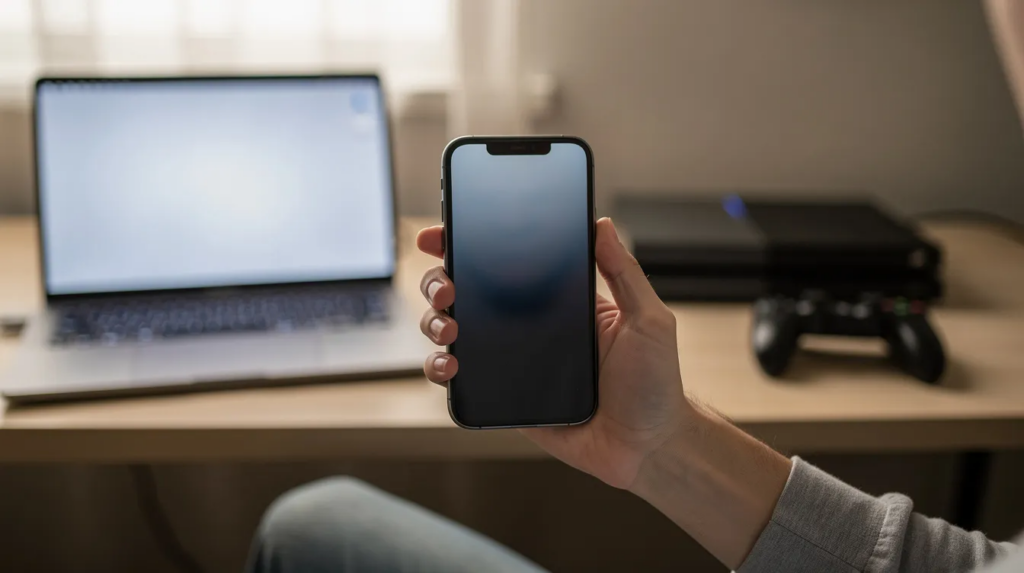
Core Differences Between Mobile, PC, and Console Localization
Understanding the fundamental distinctions between platforms helps app development teams make smarter decisions about resource allocation and workflow design.
Audience behavior differences:
- Mobile players engage in short, frequent sessions on touch devices with screens averaging 5–6.5 inches, often on iOS or Android
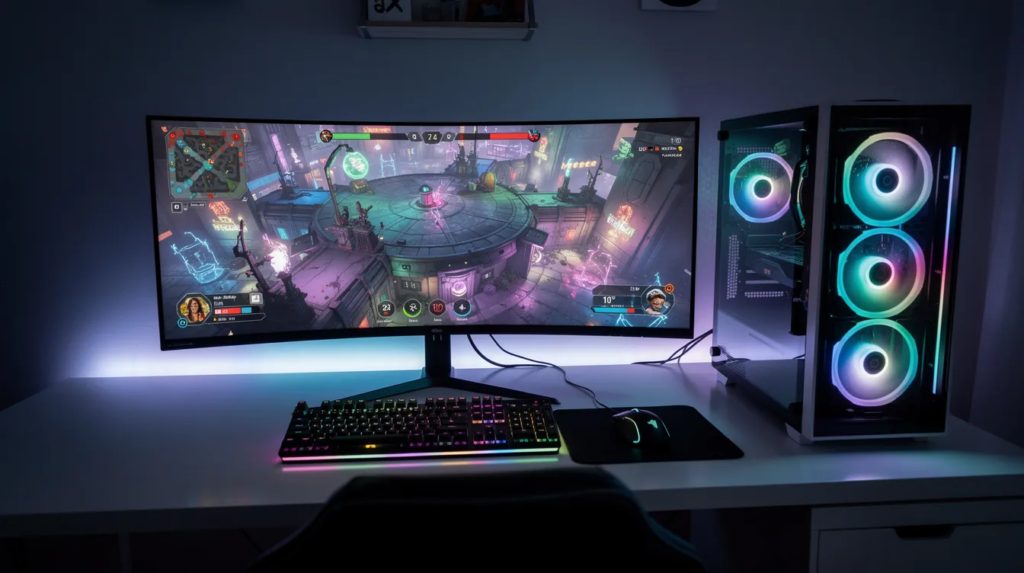
- PC players use varied hardware configurations via launchers like Steam and Epic Games Store, preferring dense interfaces and extensive customization
- Console players interact via controllers on TVs or handheld devices, viewing from 2–3 meters away
Input and navigation:
- Touch gestures dominate mobile apps (swipe, tap, long-press)
- Mouse, keyboard, and hotkeys define PC interaction
- Gamepads with focus states control consoles (DualSense, Xbox Wireless Controller, Joy-Con)
Monetization and localization needs:
- In-app purchases and subscription wording require careful attention on mobile
- DLC, mods, and regional pricing labels matter on PC
- Strict first-party guidelines govern purchase flows and age ratings on consoles
- As highlighted in gaming localization services, the approach can differ depending on whether you’re targeting mobile, PC, or console players, each with its own set of technical and UX constraints.
Localizing for Mobile Platforms (iOS and Android)
Mobile app localization focuses on small-screen UX, fast release cadences, and strict app store rules across Apple App Store and Google Play. By 2024, global mobile game and app downloads surpassed 250 billion annually, underscoring the stakes of getting this right.
This section covers in-app UI considerations, performance constraints, and store assets including localized metadata and screenshots. Examples reference iOS .strings files, Android XML string resources, and App Store Connect/Google Play Console fields.
Mobile UI and Text-Length Constraints
Mobile layouts are fragile by nature. Small screens, notched displays, and orientation changes create unique challenges for software localization.
Key considerations:
- Tab labels and navigation bars need tight character limits – aim for 20–25 characters in German or French to prevent truncation on 5–6 inch screens
- Languages like Russian or Spanish expand strings by 30–40%, requiring flexible constraints
- Use auto-layout tools (Android ConstraintLayout, iOS Auto Layout) to accommodate text expansion
- Provide Figma mockups with character guidelines to translators, especially for CTAs like “Install,” “Subscribe,” and “Buy Battle Pass”
Special script requirements:
- Arabic and Hebrew require RTL mirroring in navigation drawers, carousels, and chat bubbles
- Thai and other complex scripts need testing for proper line breaks
- Testing reveals up to 15% layout failures in initial builds without flexible constraints
Touch Interaction, Gestures, and Microcopy
Mobile relies on gestures that must be clearly described across different languages. The translation process requires cultural adaptation, not just literal conversion.
Best practices:
- Adapt gesture verbs like “Swipe left to delete” to local UI norms – Japanese tutorials use polite phrasing while Brazilian Portuguese favors informality
- Keep tooltips and onboarding hints concise for small overlays and coach marks
- OS-level dialogs (“Allow notifications,” “Allow access to photos”) should mirror Apple and Google’s recommended phrasing
- Maintain a reusable glossary of gesture verbs and system actions for consistency across OS versions
Avoid literal translations of gestures. Instead, reference real actions adapted to cultural nuances and local UI expectations.
App Store Metadata and Visual Assets
Localized content on store pages often drives more installs than in-app text. App store listings are critical for reaching your target audience in multiple markets.
Apple App Store elements (via App Store Connect):
- App name: limited to 30 characters
- Subtitle: 30 characters
- Keyword field: 100 characters
- Promotional text: 170 characters
- Long description: localize fully
Google Play Console elements:
- App title: up to 30 characters
- Short description: 80 characters
- Full description: 4,000 characters
- Tags and localized “What’s New” notes
Optimization strategies:
- Perform fresh keyword research per locale rather than simple translation – search behavior varies between US English, UK English, and German
- Adapt screenshots and preview videos to show local currencies and regionally relevant characters
- Feature graphics should reflect local holidays and cultural references
- Well-localized screenshots boost conversion rates by 15–20%
Technical and Release-Process Considerations on Mobile
Mobile updates move rapidly and face App Store/Play Store review queues, so the localization process must keep pace.
Resource management:
- Externalize resource files (Android string XML, iOS .strings and .stringsdict for pluralization)
- Connect to a translation management system or continuous localization workflows
- Test localized builds on a realistic device matrix covering OS fragmentation
Pre-release checklist:
- Store listing screenshots per language version
- Age rating content descriptions localized properly
- GDPR consent screens for EU markets
- Localized push notifications for LiveOps promotions
- In-app event metadata for time-limited regional offers
Testing on older Android devices and different iPhone screen sizes catches layout issues and font rendering problems before app release.
Localizing for PC Platforms (Windows, macOS, Linux via Steam, Epic, etc.)
PC software localization handles diverse hardware setups, flexible UI, and multiple distribution platforms including Steam, Epic Games Store, GOG, and Microsoft Store. The differences from mobile and console are significant: higher text density, more configuration options, and deeper accessibility support.
Examples reference .po/.json/.xml resource files, Steam store pages, launcher overlays, and settings menus with long strings. Studios shipping on Steam or using cross-platform engines like Unity and Unreal Engine 5 will find this section particularly relevant.
Interface Density, Resolution, and Terminology
PC UIs often display more information simultaneously – HUDs, inventory grids, skill trees, and log windows – across 1080p, 1440p, and 4K displays.
Design recommendations:
- Avoid hard-coded pixel widths so localized text expands correctly at different resolutions and UI scaling settings
- Create and localize domain-specific terminology lists (ray tracing, FOV, V-Sync, shader cache, DPS, AoE)
- Consider configuration options for players who prefer English gameplay terms in localized builds
Testing priorities:
- Long strings in nested menus, mod managers, chat windows, and quest journals
- Overlap and clipping at UI scales above 125%
- Tooltips that expand 50% in languages like German
About 40% of players prefer original English gameplay terms toggleable in settings – consider this when designing localization options.
Keyboard, Mouse, and Rebinding UX
PC players expect extensive control rebinding and localized keyboard hints. Software developers must account for varied input configurations.
Localization considerations:
- Respect local keyboard layouts (QWERTY, AZERTY, QWERTZ) and IME behavior for East Asian languages
- Avoid hard-coded English key labels in tutorials – pull control labels from localized settings dynamically
- Accommodate wider buttons in tooltips for modifier key combinations (Ctrl+Shift+Alt)
- Document platform-specific behavior (macOS “Command” vs. Windows “Ctrl”) for professional translators
PC Storefronts, Launchers, and Community Content
PC distribution spans multiple stores and launchers, each with unique localization surfaces. The right localization platform helps manage this complexity.
Steam requirements (28 supported languages in 2026):
- Store page title and short description
- Capsules and artwork with localized text overlays
- Full description, update notes, and community announcements
Epic Games Store needs:
- Localized game description
- Age ratings and regional pricing labels
- News posts within the launcher
For Epic Games Store, ensure your game description, age ratings, and regional pricing labels are fully localized per market. Epic Games Store developer documentation outlines specific submission requirements and language support.
Community engagement:
- Moderate and respond to user reviews in target languages
- Consider localizing workshop/modding documentation
- Align community content with localized terminology and rating standards
Technical Considerations Specific to PC
PC builds must handle wide encoding, fonts, and performance profiles across file formats.
Technical requirements:
- Use Unicode (UTF-8/UTF-16) consistently for scripts like Chinese, Japanese, Korean, and complex European diacritics
- Package font sets covering all target languages without excessive memory usage
- For CJK scripts, consider bitmap or dynamic fonts optimized for performance
- Account for file system differences (case-sensitivity on Linux/macOS vs. Windows) when loading localized assets
Support considerations:
- Integrate localized crash/error messages and logs
- Help support teams diagnose region-specific issues (e.g., missing fonts for specific locales)
- PC fragmentation causes 10–15% more post-launch bugs than consoles
Localizing for Console Platforms (PlayStation, Xbox, Nintendo)
Console localization is constrained by first-party technical requirements – TRCs/TCRs for PlayStation, XR for Xbox, and Lotcheck for Nintendo – plus controller-based UX. Certification failures from localization issues like mismatched button labels or mistranslated system terms can delay releases by weeks, costing $100K+ in opportunity.
This section focuses on controller navigation, system terminology, and region-specific ratings. It’s critical reading for game studios planning simultaneous launches across North America, Europe, and Japan.
Controller-Based Navigation and Focus States
All primary interactions on consoles occur via controllers or Joy-Con, not mouse or direct touch. This fundamentally shapes how localization teams approach UI.
Navigation requirements:
- Menu designs must indicate focus clearly with highlight states and selection frames
- Localized text expansion must not obscure focus indicators
- Button prompts (“Press X to confirm,” “Press A to jump”) need platform-specific glyphs and terminology
Regional conventions:
- Some markets expect different button confirm/cancel conventions (historically Circle vs. Cross on PlayStation in Japan)
- Follow current Sony guidelines for regional mappings
- Certification rejections spike 20–30% from mismatched prompts or obscured focus indicators
Testing scope:
- Controller path testing in each language for menus, pause screens, inventory
- Split-screen join/leave flows
- Verify no unselectable or hidden options exist after text expansion
System Terminology and First-Party Guidelines
Each platform holder provides localized system terminology lists and style guides that localization projects must follow precisely.
Required terminology matching:
- “Trophies” (PlayStation), “Achievements” (Xbox), “Nintendo Switch Online”
- Age-rating content descriptors (PEGI, ESRB, CERO, USK) translated exactly per regulator requirements
- System dialogs with mandated phrasing and formatting
Quality assurance measures:
- Maintain reference sheets of official first-party terms per language
- Share terminology management resources with translators and QA
- Minimize rejections in submission rounds through accurate terminology use
TV Viewing Distance, Subtitles, and Accessibility
Console games are typically viewed from a sofa distance of 2–3 meters, changing how text appears on screen.
Readability standards:
- Minimum subtitle and UI font sizes at 1080p and 4K (e.g., 32pt minimum at 1080p for Korean)
- Legibility for complex characters in Japanese or Korean
- Line length limits of 35–42 characters per line for subtitles
Localized subtitle practices:
- Speaker tags and punctuation norms per language
- Cultural adaptation of profanity and idioms
- Background opacity and accessibility settings fully localized
Audio considerations:
- Support multiple audio tracks (English, Japanese, French, Spanish)
- Match subtitle/caption sets to audio languages
- Correctly localize audio-language menus
Storefront, DLC, and Live Operations on Consoles
Console ecosystems rely heavily on curated storefronts and ongoing DLC promotions. Maintaining consistency across marketing materials and in-game content is essential.
Localized assets required:
- PlayStation Store, Microsoft Store, Nintendo eShop product titles
- Short and long descriptions, screenshots, promo banners
- DLC/season pass descriptions synced with in-game wording
Best practices:
- Dynamic themes or avatars should avoid embedded text where possible
- If text is necessary, create separate localized art variants
- Plan localized wording for cross-gen entitlements and upgrade paths
- Synchronize wording across in-game store, console store pages, and official websites
Cross-Platform Consistency and Divergence
Many games and apps now ship as cross-play or cross-progression titles across multiple platforms. Some elements should remain consistent (core terminology, character names, narrative tone), while others must diverge (control hints, platform-specific features).
Shared Glossaries and Style Guides Across Platforms
A master glossary and style guide applying to all platforms prevents terminology drift. Use a localization management platform to maintain centralized resources.
Glossary elements:
- Character names, currencies, item tiers, skill names, world locations
- Approved translations per language with platform-specific notes
- Indication when terms differ on PC vs. console due to system conventions
Translation memory benefits:
- Repeated strings stay consistent across iOS, Android, Steam, Xbox
- Reduces translation tasks for common elements
- Periodic reviews align new features across platforms
When and How to Diverge Per Platform
Perfect one-to-one string reuse across all platforms isn’t realistic. Intentional divergence maintains quality.
Examples of appropriate divergence:
- “Tap to start” on mobile vs. “Press any button” on console vs. “Press any key” on PC
- String keys encoding platform context (MENU_START_MOBILE vs. MENU_START_CONSOLE)
- Monetization language differences per store policy
Sensitive flows requiring per-platform variants:
- Parental consent processes
- Cross-save linking
- Account deletion procedures
- Local legal requirements for different regions
Localization Workflow, Tooling, and Collaboration
Efficient workflows are essential when shipping simultaneous updates on mobile, PC, and console. This section covers technical pipelines, file management, and collaboration between developers, producers, translators, and QA teams across multiple platforms.
Building a Platform-Aware String Architecture
Well-structured string IDs prevent chaos when managing translations across platforms. Translation tools and software localization tools depend on clean architecture.
Naming conventions:
- Capture both feature and platform (INVENTORY_SORT_BUTTON_PC, INVENTORY_SORT_BUTTON_CONSOLE)
- Separate shared strings (narrative, item descriptions) from platform-specific UI strings
- Use pseudo-localization passes early to catch layout and encoding issues
Maintenance practices:
- Refactor hard-coded strings into resource files
- Document string context for translators
- Use visual context tools for in-context editing
Continuous Localization and Release Management
Live games and apps require continuous localization tied to regular content drops. Agile development teams benefit from automated pipelines.
Pipeline integration:
- Plug translation platform tools into CI/CD systems (GitHub Actions, GitLab CI)
- Auto-extract new strings when branches merge
- Set realistic localization deadlines before platform submission dates
Launch strategies:
- Factor extra time for console certification and resubmissions
- Consider soft-launch in markets like Canada or Australia for mobile
- Gradually add languages based on early market data
- Maintain a localization calendar showing feature freezes and submission windows
Collaboration Between Dev, Localization, and QA
High translation quality depends on tight collaboration across disciplines. Cloud based platforms enable distributed teams to work together effectively.
Translator support:
- Provide visual context through design mockups and early builds
- Use in-context editing tools when available
- Regular syncs between localization leads and platform producers
QA coordination:
- Separate test plans per platform and language
- Checklists for menu navigation, tutorials, achievements, online flows
- Collect feedback from regional community managers post-launch
Testing and Quality Assurance Across Platforms
Quality assurance must be tailored to each platform’s constraints and certification requirements. Testers should work with near-final builds on actual hardware, distinguishing between linguistic errors and functional issues.
Mobile Localization QA Focus Areas
Mobile testing considers network variability, battery usage, and OS behaviors alongside language issues. Use a mix of popular devices and OS versions.
Mobile-specific checks:
- Truncated labels and overlapping icons
- RTL layout issues in Arabic and Hebrew
- Broken deep links
- Mislocalized push-notification content
- Localized onboarding and permission prompts
- In-app purchase flows including error messages
PC Localization QA Focus Areas
PC testing must cover varied resolutions, aspect ratios, and custom user settings. Test in windowed and full-screen modes at multiple resolutions.
PC-specific checks:
- Text overflow in chat and logs
- Broken line wrapping in CJK languages
- Incorrect keybinding labels
- Clipping in multi-column menus
- Platform overlay behavior (Steam notifications, friend invites)
- Mod compatibility with localized versions
Console Localization QA and Certification Readiness
Console testing aligns with first-party certification checklists. Localization service providers should simulate certification checks before submission.
Certification-aligned checks:
- Correct system terminology throughout
- Proper button prompts per region
- Accurate error messages
- Compliant online-safety notices
- Local multiplayer flows (controller-disconnect, join/leave, profile selection)
- Trophy/achievement text matching requirements
Run dry-run submissions with internal checklists before sending builds to Sony, Microsoft, or Nintendo to reduce rejections.
Conclusion: Designing Localization with Platforms in Mind
Successful software and app localization in 2026 means understanding mobile, PC, and console as distinct environments – not just different build targets. Each platform brings unique constraints around input methods, screen sizes, certification requirements, and store metadata.
Early planning makes the difference. String architecture, UI flexibility, and glossary creation reduce last-minute rework and certification delays. Platform-specific attention to adapting content for local audiences improves reviews, retention, and revenue across target markets.
Treat localization as an ongoing part of live operations rather than a one-off launch task. The investment in proper localization efforts pays dividends through higher app store ratings, better user engagement, and expanded reach to a global audience.
The following FAQs address practical concerns about budgeting, outsourcing, and rollout sequencing not fully detailed above.
Frequently Asked Questions
How should I prioritize languages and platforms if my budget is limited?
Start with the most revenue-relevant platform-language pairs. Typically, this means English, Japanese, Simplified Chinese, German, and French on your primary launch platform. Focus first on the platform where your target audience is strongest – for some teams, this is mobile; for others, Steam or PlayStation.
A phased approach works well: launch with a core set of languages on one platform, monitor performance for 3–6 months, then roll out additional languages or platforms based on data. This approach typically covers 80% of revenue while managing localization costs.
When does it make sense to outsource localization versus keeping it in-house?
Small teams or first-time global launches often benefit from working with language service providers familiar with platform guidelines and certification requirements. They bring expertise in machine translation post-editing, terminology management, and platform-specific requirements.
In-house linguists make sense when you have a long-term live-ops roadmap with multiple seasons and high volume of regular content updates. Many studios use a hybrid model: maintain internal owners for glossary, tone, and review while relying on specialized partners for language coverage and surge capacity.
How early in development should I start planning for localization?
Plan from pre-production or early alpha – at least 6–9 months before your intended global launch window. String externalization, UI flexibility, and glossary building should begin as soon as core systems and terminology stabilize, even if translation begins later.
Leaving planning until just before console submission or mobile store review typically results in layout issues, rushed translations, and potential delays. Version control for translation files should be established early alongside your main codebase.
Do I need different translators for mobile, PC, and console projects?
While translators can work across platforms, choosing linguists experienced in each platform’s terminology, UX patterns, and certification language helps. Consider assigning dedicated leads per platform type who coordinate with a larger pool of translators through a more comprehensive solution for translation management.
Providing detailed platform-specific reference materials can partially offset lack of direct platform experience. However, maintaining consistency in website translation, android app strings, and console text benefits from domain expertise and robust platform understanding.
How do I measure whether my platform-specific localization is successful?
Track store conversion rates, retention by locale, user reviews mentioning localization quality, and support tickets related to language issues. Compare performance across platforms in the same language (e.g., German on Steam vs. German on Xbox) to identify platform-specific UX problems.
Run periodic in-market user tests or surveys focused on localized UX, especially after major content or UI updates. A/B testing localized store page variants can reveal which approaches resonate best with your target audience, improving your app’s success in each market. AI translation combined with human review through a comprehensive solution helps maintain translation quality while scaling efficiently.