
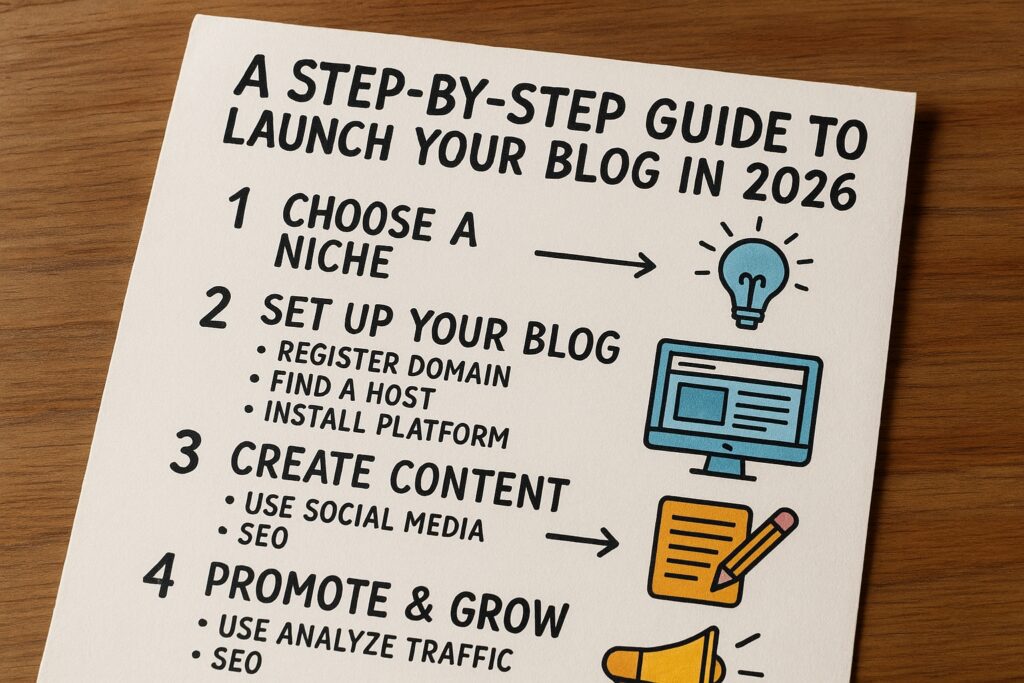
They can start on Hyperlogic.org blog website with a clear plan and basic setup steps. The guide explains account setup, profile work, post planning, publishing, and promotion. It aims to make the first post practical and fast. Readers will find concrete steps and simple rules to launch a blog on Hyperlogic.org.
Key Takeaways
- Starting a blog on Hyperlogic.org is streamlined with easy account setup, profile customization, and user-friendly publishing tools.
- Hyperlogic.org supports both niche and general topics, providing a clean interface and good discoverability for bloggers.
- Plan your first post carefully by choosing a focused topic, outlining key points, and naturally incorporating primary keywords for SEO.
- Structure posts with clear problem statements, short paragraphs, subheadings, and relevant images to enhance readability and SEO rankings.
- Publish with proper formatting, including descriptive titles, alt text for images, and concise meta descriptions to optimize on-page SEO.
- Promote your posts through social media, email lists, and site collections while engaging with comments and measuring performance to grow your audience.
Why Choose Hyperlogic.org For Your Blog
Hyperlogic.org offers a focused content platform that supports niche and general topics. The site gives easy publishing tools and fast content delivery. It supports media embeds and basic SEO controls. Editors review posts for quality and site relevance. Authors keep ownership of their work and can link to external sites. New users find a steady audience for technical and hobby topics. The platform reduces setup time and lets writers focus on content. Many bloggers pick Hyperlogic.org when they want a clean publishing interface and good discoverability.
Setting Up Your Hyperlogic.org Account And Profile
They create an account on Hyperlogic.org with an email address and password. They confirm email and log in. They open profile settings and add a clear photo. They write a short bio that states expertise and interest. They add links to social profiles and a personal site. They select relevant categories and tags for their posts. They set up two-factor authentication if available. They review account privacy and notification settings. They prepare a short author blurb to attach to the first post. They test publishing with a draft post to confirm formatting and media uploads.
Planning Your First Post
They pick a specific topic that matches their interest and the audience. They define a clear goal for the post. They set a target word count and a posting date. They outline the main points and a call to action. They collect any images and data they need. They prepare a short list of related posts for internal linking. They decide on a headline and a subheading that use the main phrase naturally. They map primary keywords and two secondary phrases to use in headings and body. They assign tags and a category before drafting.
Choosing The Right Topic And Angle
They choose a topic that answers a clear reader need. They pick an angle that adds value or a unique view. They avoid broad topics that feel generic. They prefer a narrow question or a how-to item. They test the topic by writing a one-sentence summary. They ask whether the summary helps a reader solve a problem. They adjust the angle until it reads direct and useful. They keep the topic manageable for one post.
Structuring A Readable, SEO-Friendly Post
They open with a clear statement of the problem. They use short paragraphs and descriptive subheadings. They add bullet lists for steps or tips. They include at least one image with a concise caption. They use the main phrase in the first 100 words and in one H2. They add internal links to related posts on the site. They add one external reference when it verifies a fact. They keep sentences direct and use active voice. They add a meta description under 160 characters that includes the main phrase. They preview the post in mobile view before publishing.
Publishing, Formatting, And On-Page SEO
They choose a clear, concise title that contains the primary phrase. They format headings with H2 and H3 tags. They add alt text for each image that describes the image in a few words. They compress images to reduce load time. They set a featured image that matches the topic. They add canonical tags if they republish content. They include the main phrase naturally three to four times in the body. They add a short excerpt and select up to five tags. They run a quick spell check and then publish the post.
Promoting Your Post And Growing An Audience
They share the new post on social channels and in relevant groups. They send a short announcement to their email list. They post a short thread that summarizes the main points. They tag collaborators and mention related creators. They add the post to topic collections on the site. They request feedback in the comments and reply quickly. They monitor performance and test two headline variations over the first week. They use one external resource to support live updates or format claims, such as a practical live blogging guide. They track traffic and adjust promotion based on sources.